
Three ways into one Tiger Exchange account
- 1Mobile + OTPA code to your +91 number
- 2User ID + passwordFor a ready-made ID from WhatsApp
- 3Demo LoginPractice balance, no deposit
LOGIN
Forgot Password?Get Your Ready-Made ID From WhatsApp
WhatsApp NowOr Login With
Don't Have An Account? Register
Tiger Exchange Login — Mobile OTP, a User ID Tab and the Demo Login Button
Tiger Exchange login works through three routes on one card: Mobile Number with a password, Mobile Number with an OTP, or the User ID tab with a password. Pick the tab that matches how your account was opened, fill the fields and press Login. Demo Login, right beside it, opens a practice balance instead.
Which Tiger Exchange Login Route Matches the Way Your ID Was Made?
The Tiger Exchange login card has two tabs at the top, and choosing between them causes more failed sign-ins than a wrong password does. Mobile Number is for accounts opened on your own phone. User ID is for anyone whose Tiger Exchange ID came from the WhatsApp desk as a ready-made username with a password attached. Put correct details under the wrong tab and the card turns them down anyway.
So before typing anything, think back to how the account started. That one memory settles it.
| Route | What you type | When it suits you |
|---|---|---|
| Mobile + Password | Country code left on +91, your mobile number, then the password you chose at sign-up | You registered on Tiger Exchange yourself and still remember that password |
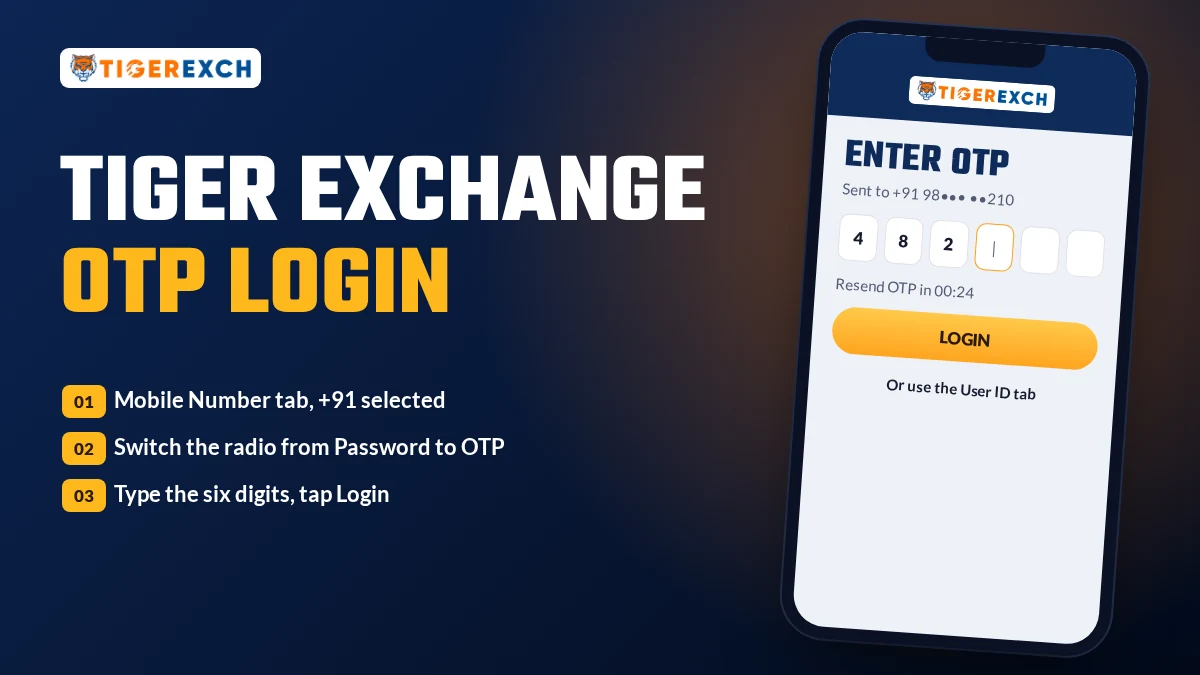
| Mobile + OTP | The same mobile number, the OTP radio selected, then the code that reaches your phone | The password has slipped your mind, or you are signing in on a new handset |
| User ID + Password | The username exactly as the desk sent it, then the password from that same message | Someone on the desk created the account and messaged you the Tiger365 ID or Tigerexch ID details |
| Demo Login | Nothing at all | You only want to look around the Tiger Exchange sportsbook before an ID exists |
One detail people miss. On the Mobile Number tab, Password and OTP are two small round radio buttons sitting under the number field, not seperate screens. A Tigerexch login by OTP simply swaps the Password box for an Enter OTP box in the same place, so if you are staring at a password field and expecting a code, the radio button is the thing to check. Below everything there is also an Or Login With line with a Telegram option, which is a fourth door if your Tiger365 login happens to be linked there.
How to Finish a Tiger Exchange Login in Five Short Steps
Most of this is tapping. On an ordinary 4G connection the whole thing is over before a cup of tea cools down.
Open a working Tiger Exchange address in Chrome or whatever browser you use, and let the sportsbook finish loading. The LOGIN and REGISTER buttons sit at the top right. Tap LOGIN and the card opens. If the address never loads, skip ahead to the problems section on this page, because a blocked domain is the usual culprit and no amount of retyping a password will fix it.
Choose your tab. Mobile Number if you signed up on Tiger Exchange with your own phone; User ID if the account arrived as a message from the desk. Not sure? Search your WhatsApp chats for the word "ID". If a username and password are sitting there, you want the User ID tab.
Fill the first field. On the Mobile tab leave the +91 selector alone and type the number without a zero in front. On the User ID tab type the username character by character, exactly as sent. Pasting works too, though a pasted space at the end is a classic reason the card says the ID is wrong.
Password or OTP. With Password selected, type it and tap the eye icon at the end of the field to see what you really typed, which catches most Tiger Exchange login password slips in a second. With OTP selected, wait for the code and type it into the Enter OTP box.
Press Login. The real one. Demo Login sits directly beside it with the same shape and size, and it is easy to hit the wrong one with a thumb. Login takes you into your own Tiger Exchange account with your own balance; Demo Login does not.
Those five taps are also everything a Tiger Exchange 365 login involves; the brand name in the search changes, the card does not. No account yet? Open one yourself through the self sign-up route for a Tiger Exchange register ID, or let the WhatsApp desk route for a Tiger Exchange ID hand you a finished username.
What the Tiger Exchange Sportsbook Shows the Moment Login Succeeds
You know within a second or two whether a Tiger Exchange login went through, because the card disappears and the sportsbook fills the screen. On the live site in September 2026 the pieces came up roughly in this order.
Your balance bar. The top of the Tiger Exchange screen switches to your own account, with the balance showing where you can check it before placing anything. A fresh real ID reads zero until the first deposit, and that is normal. A round, generous practice figure on an account you never funded means Demo Login got pressed instead of Login.
The sport tabs strip. Nine tabs line up across the Tiger Exchange screen, from In-Play through Matka and Cricket Fight to Casino, and the number beside each one is a live match count. On one September afternoon Football read 391, against 48 for Cricket and 10 for In-Play. Yours will differ by the hour.
The In-Play tab. Matches already underway carry a small green in-play dot, and many have a live-TV icon beside the fixture. On Tiger Exchange this is the tab most people open first after signing in, especially during an evening T20.
Match rows with prices. Before tapping a Tiger Exchange cricket fixture, glance at its tags. BM, F and P mark bookmaker, fancy and premium markets; a fixture with no tag has back and lay boxes and nothing more. Durham W v Warwickshire W was listed that way when we checked, and so was Lions v Boland.
The left menu. Home, Rules, Language, Download APK, a Mode switch for light or dark, and a Social Link item with WhatsApp and Telegram. The Tiger Exchange APK download starts from that Download APK entry, and it signs in with the same details you just used.
Open bets. Once you place something, it sits in your open bets list untill it settles. Checking that list straight after login is the quickest way to confirm the Tiger Exchange account you opened is the one holding yesterday's bets.
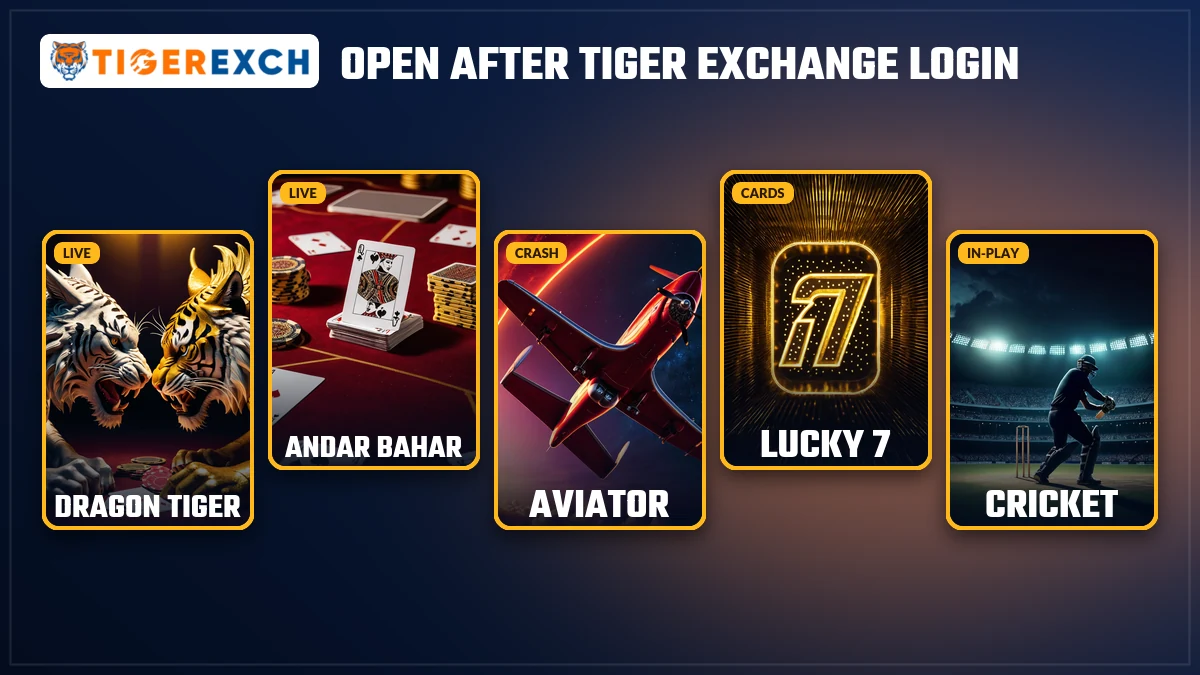
The casino lobby. Tap Casino and the game tiles appear: Aviator, Marble Run, Colour Prediction, Chicken Road Cross, Cock Fight and the live tables. None of it asks you to log in again.
Tiger Exchange Login Problems Sorted Before You Message Support
Five problems account for nearly every stuck Tiger Exchange login we hear about. Each one has a fix you can try in under a minute, and the answer comes first in every block below.
Forgot your Tiger Exchange login password?
Tap Forgot Password? directly under the password field on the Tiger Exchange card. That is the official reset. There is a shortcut, though, if the account was opened on your own phone: skip the password entirely by staying on the Mobile Number tab, picking the OTP radio and signing in with the code.
An ID that came ready-made from the desk may not have a phone number on file at all, and then a reset link or an OTP has nowhere to land. Message +91 81097 11726 on WhatsApp, include the Tiger Exchange user ID and nothing else, and a fresh password comes back for that Tiger Exchange account. The old password stays with you; the reset does not need it.
Tiger Exchange OTP not arriving?
Look at the number first. The +91 selector should already be set, so the field itself wants just the mobile digits, with no extra 0 or a second +91 typed in front. That single mistake explains a surprising share of Tiger Exchange OTP complaints.
If the number is right, give it a little time before tapping for another code; asking three times in a row can leave you holding three codes and not knowing wich is current. Weak signal slows things down as well. Still nothing? Flip the radio back to Password if you have one. And if your Tiger Exchange account is a user-ID account, OTP was never the route for it anyway.
Wrong user ID format on the Tiger Exchange card?
The user ID is not your mobile number. It goes under the User ID tab, and it has to match the Tiger Exchange username the desk sent, letter for letter. Treat capitals as though they matter.
The usual traps are small ones: a zero typed as the letter O, a lowercase l standing in for the digit 1, or a trailing space that came along with a paste from WhatsApp. Open the original message, zoom in if the font is tiny, and type the Tiger Exchange ID by hand once. It feels slow. It works more often than pasting.
Tiger Exchange address not opening at all?
The symptom gives it away: a spinner that never ends, or a browser page saying the site cannot be reached, before the Tiger Exchange card even appears. You never got as far as typing a password, so the password is not the issue. What changed is the address itself, since betting domains get blocked in India and a bookmarked Tiger Exchange link can go dark between one evening and the next.
Try the Tiger365 Pro login address, Tiger365 Me, Tigerexch AI or Tigerexch Club. Your Tiger Exchange login card looks the same on each, and the account behind it is identical. Resetting a password because an address was blocked just gives you a new password to remember for no reason.
Seeing a demo balance instead of your real Tiger Exchange balance?
Almost always the Demo Login button. It sits flush against Login, the two look alike, and on a phone the thumb lands where it lands. A demo session hands you a practice balance that has no connection to your real Tiger Exchange money.
Sign out, open the card again, and press Login this time. If your real balance still looks wrong after a proper sign-in, check the open bets list before assuming anything; money tied up in unsettled bets is the usual explanation. The Tiger Exchange desk can confirm the rest.
Tiger Exchange 365 Login, 247 Login and VIP Login All Open One Account
Google suggests half a dozen spellings for this one sign-in, and Tiger Exchange 365 login gets typed more often each month than plain Tiger Exchange login. Four of them get a note below. Same card for all four.
So if someone in a Telegram group swears you need a separate Tiger Exchange VIP account, you don't. One ID, one password, every name.
Try Demo Login on Tiger Exchange Before Signing In With a Real ID
Demo Login is the gold-shaped twin of the Login button, and it earns its place. It opens the Tiger Exchange sportsbook with a practice balance, no ID, no deposit. The tabs, the match rows, the BM, F and P badges, the casino lobby: all of it is there to click through.
What it is good for is finding your way around. Where In-Play lives, how the back and lay boxes sit on a row, where Download APK hides in the left menu, which casino tile is Aviator. Ten minutes in a demo session makes the the first real Tiger Exchange login far less fiddly.
What it cannot do is pay out. Practice balance stays practice balance; you cannot withdraw it or move it into a real account. A Tiger Exchange demo ID is a look around, nothing more, and it is honest about that.
When you are ready for real money, there are two ways in. Register on the card yourself through the Register link at the bottom, or ask the desk for a ready-made ID on WhatsApp using the Tiger Exchange WhatsApp number. Opening the ID is free, and a deposit only matters once you decide to play for real. Payments go through UPI, PhonePe, Google Pay, Paytm or bank transfer, and withdrawals return to a bank account or UPI in the account holder's own name.
Six Tiger Exchange Login Doubts Worth Clearing Up Early
How do I log in to Tiger Exchange?
Start from how the account began. Opened it on your own phone? Use the Mobile Number tab with Password or OTP. Received a username from the WhatsApp desk? Use the User ID tab. Then press Login, the button next to Demo Login, and the Tiger Exchange sportsbook opens on your own balance.
What should I do if I forgot my Tiger Exchange password?
If the account runs on your own phone number, pick the OTP radio on the Mobile Number tab and the code gets you in without any password. A ready-made Tiger Exchange ID with no linked number is different: send just the user ID to the WhatsApp desk and a new password comes back.
Why is Tiger Exchange not opening?
Type tiger365.pro into the browser by hand, and if that stalls too, try tiger365.me, tigerexch.ai and tigerexch.club in turn. Whichever one loads shows the Tiger Exchange card with the Mobile Number and User ID tabs. Saved links stop working because betting domains get blocked in India from time to time.
Why is my Tiger Exchange login OTP not arriving?
Check that the country code reads +91 and that the number has no extra zero in front. Weak signal can delay the code, so wait a little before asking for another one. If it still does not come, switch to Password or ask the Tiger Exchange desk on WhatsApp.
Is Tiger Exchange 365 login the same as Tiger Exchange login?
Yes. Tiger Exchange 365, Tiger Exchange 247, Tigerexch and Tiger365 are names for one brand, and every one of those searches leads to the same login card. One ID and one password work across all of them, including the searches that add the word VIP.
Can I use the Tiger Exchange demo ID for real withdrawals?
No. The Demo Login button fills a session with play money that exists only inside that demo, so none of it can be cashed out. To withdraw from Tiger Exchange you sign in with Login on your own ID, fund it, and request the payout to a bank or UPI account held in your name.
Tiger Exchange Login Facts in Seven Rows
What this covers
Every Tiger Exchange login on this page happens on one card, whichever name brought you here: Tiger Exchange 365 login, Tigerexch login, Tiger365 login or Tiger Exchange VIP login all open the same balance.
Sign-in routes
Mobile Number with Password, Mobile Number with OTP, or User ID with password. Demo Login sits beside Login, so a Tiger Exchange demo ID needs no deposit and no registration.
Same brand, many names
Search boxes see Tigerexch, Tiger365, Tiger Exchange 365, Tigerexch 365 and Tiger Exchange 247 typed in, and each of those lands on this sign-in card with identical tabs.
Working addresses
When a bookmark fails, sign in at Tiger365 Pro first; a Tiger365 Pro login takes your normal details. Tiger365 Me and its Tiger365 Me login behave identically, as do Tigerexch AI, which some people search as Tiger Exchange AI, and the casino-leaning Tigerexch Club. Blocks on betting domains in India are the reason more than one address exists.
App
The Tiger Exchange APK sits under Download APK in the left menu. Searches for Tiger Exchange APK download, the Tiger Exchange app, the Tigerexch app, the Tiger365 app and Tiger365 Pro APK all describe the same Android app and the same sign-in.
New account
No account? The Register link at the foot of the card starts a Tiger Exchange register ID sign-up, while the WhatsApp desk sends a finished Tiger Exchange ID instead. Anyone holding a Tiger365 ID already has one of these.
Help desk
The Tiger Exchange WhatsApp number and the Tiger Exchange customer care number are one line, +91 81097 11726, answering 24x7 for password resets and blocked addresses.
Tiger Exchange Login Searches Close to This One
- Tiger exchange login problem
- Tiger ID login
- tiger365 cricket login
- tiger 365 bet login
- Tiger365 app login
- tiger365 betting id login
- Tiger online login
- tiger365 pro login
- Tiger exchange demo id number
- tiger exchange id kaise banaye